
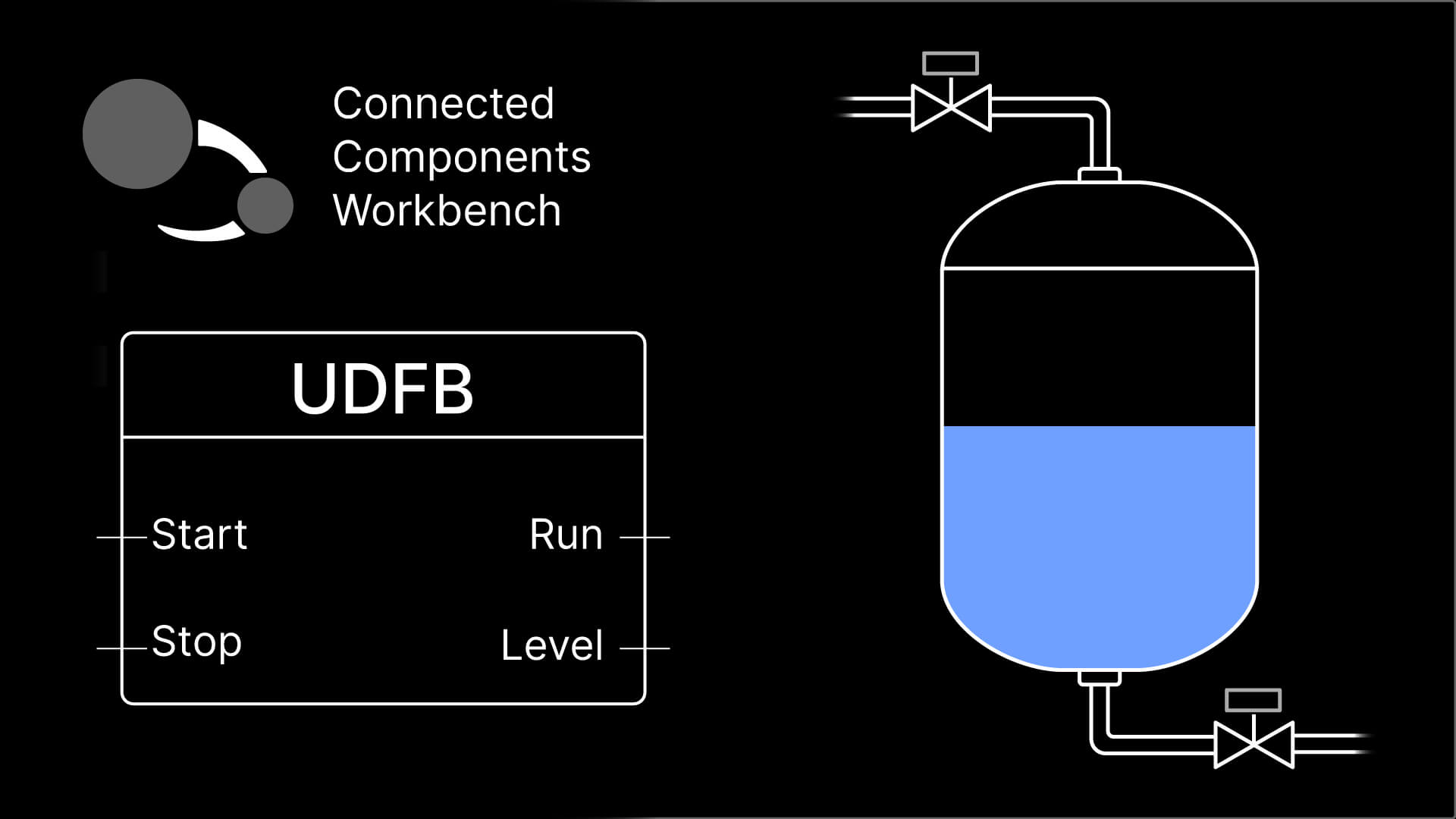
The best PLC programmers I know are lazy. They solve a problem once and reuse that solution over and over again in the same project and across many projects.
In Connected Components Workbench, User-Defined Function Blocks and User-Defined Functions let you create modules of PLC code that can be reused many times. By reusing pre-built and pre-tested code, you can reduce the amount of engineering effort involved in delivering a project and improve your code quality.
In this article, I’ll explain the benefits of writing modular, reusable code and then show you how to use User-Defined Function Blocks and Functions in Connected Components Workbench to build projects in a modular way.
By the end of the article, you will know what the benefits of writing modular code are, what a User-Defined Function Block is, how to define a User-Defined Function Block in Connected Components Workbench, and how to instantiate User-Defined Function Blocks.
The importance of modular code
In PLC programming, you end up writing a lot of repetitive code.
For example, when I worked for a system integrator that specialized in material handling systems, a project typically involved controlling hundreds of conveyors.
In theory, you could program the logic for each conveyor individually, but this has a lot of disadvantages, including:
- Long, difficult-to-navigate programs,
- Logic that is confusing, inconsistent, and hard to follow,
- Software that is difficult to extend, modify, and maintain
A better option is to develop a single code module that can be used over and over again to control each conveyor.
Since all of the conveyors are controlled by a single module, the overall program is made up of easy-to-follow calls to code modules, and maintenance is easy - if you need to change the way every conveyor behaves, you update the logic in the code module’s definition, and the change is automatically rolled out to every instance.
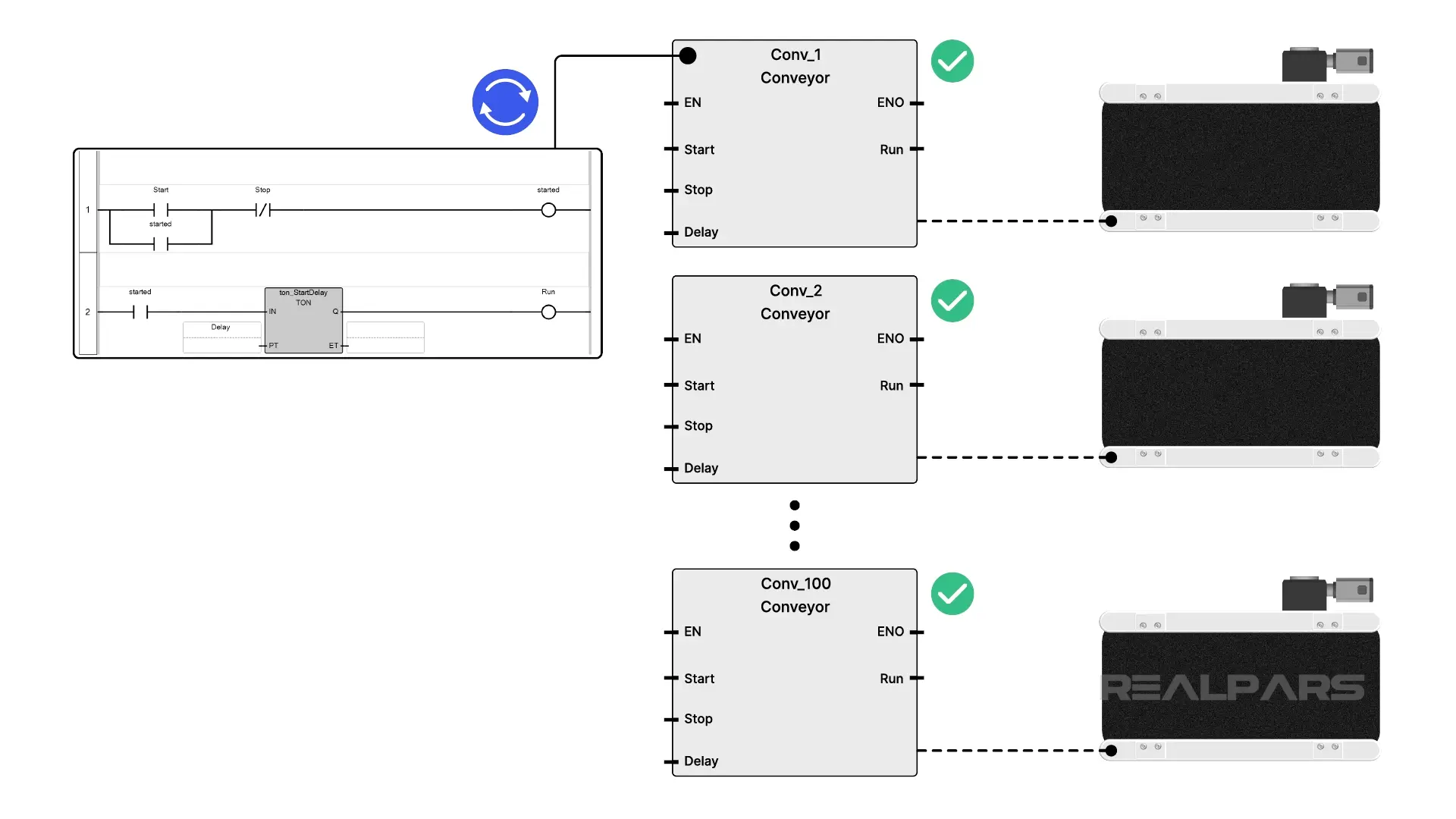
In Connected Components Workbench, code modules are called User-Defined Function Blocks and User-Defined Functions. Let’s take a quick look at what a User-Defined Function Block is.
What is a User-Defined Function Block?
A User-Defined Function Block and a User-Defined Function are reusable code modules with well-defined interfaces.
Using the interface, you can pass data to and receive data from a User-Defined Function Block.
When a User-Defined Function Block is called, its internal logic is executed.
The key difference between a User-Defined Function Block and a User-Defined Function is that a User-Defined Function Block has memory that can store data between calls, and a User-Defined Function does not.
By using User-Defined Function Blocks, you can reuse logic by instantiating the same block multiple times. When the definition is updated, all of the instances are also automatically updated.
This might sound a bit confusing, so let’s look at a practical example of how you might use a User-Defined Function Block in Connected Components Workbench to control a conveyor with a startup delay.
User-Defined Function Block definition
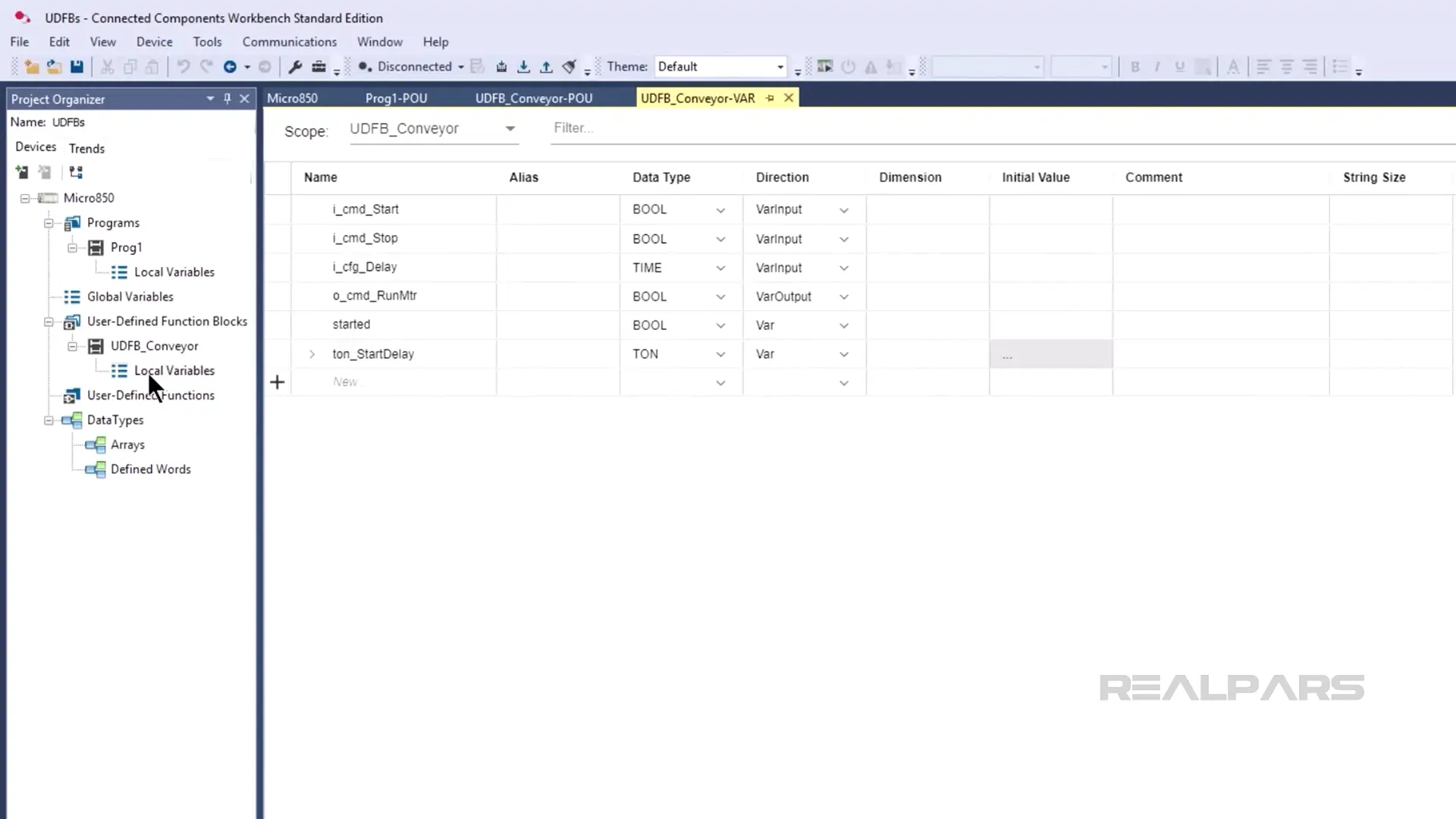
In Connected Components Workbench, I have created a new User-Defined Function Block called UDFB_Conveyor.
In the variables table, I have defined the interface for the User-Defined Function Block. In this case, the interface contains:
- A Start command input,
- A Stop command input,
- A Startup delay input,
- A Run Motor output,
- An internal variable that stores the state of the conveyor, and
- A Startup delay timer
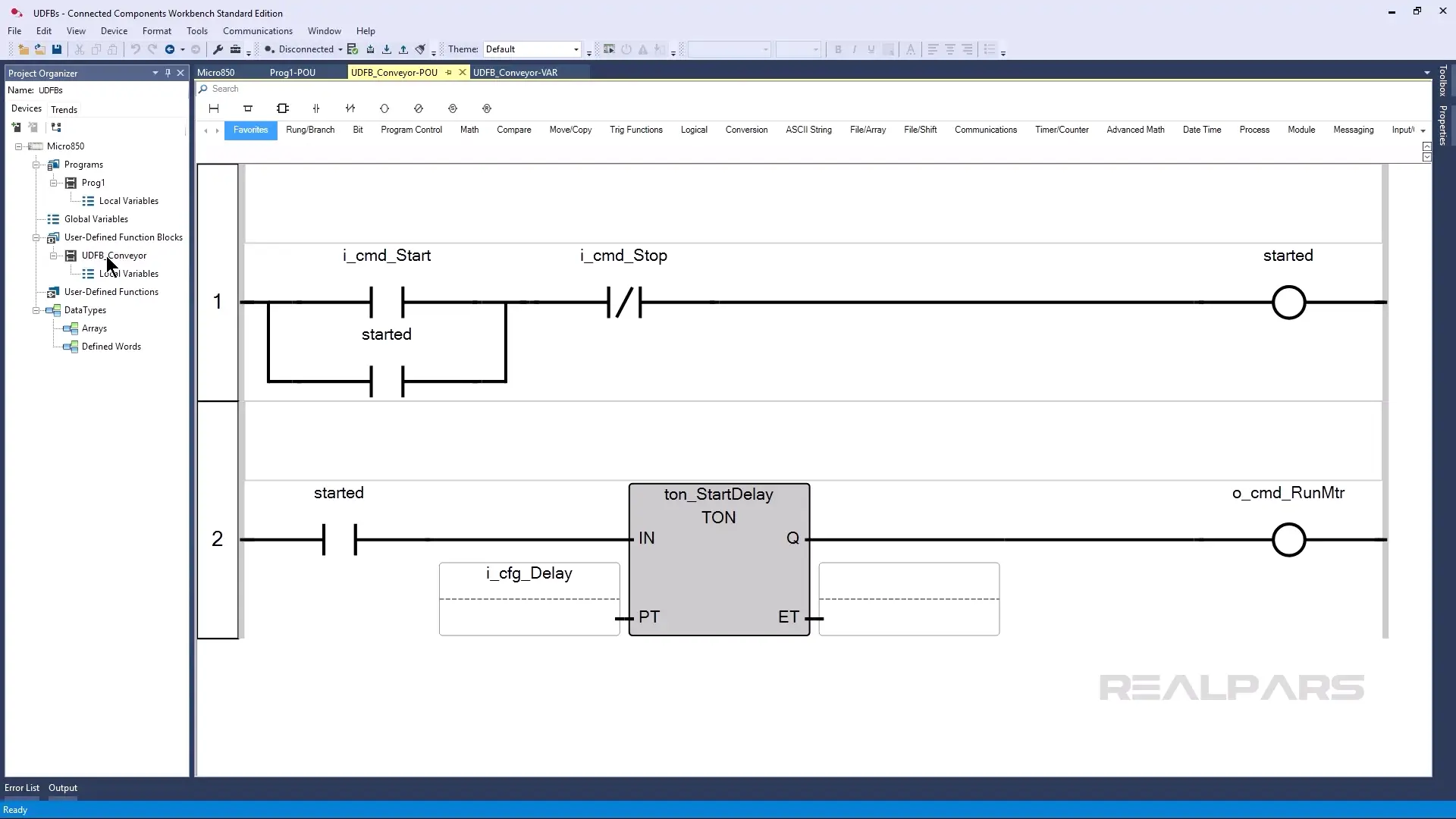
The User-Defined Function Block also has logic that updates the state of the conveyor when a start command is received, waits for a defined period of time before running the motor, and runs the motor when the startup delay time has passed.
Once you have defined a User-Defined Function Block like this, you can instantiate it in your program to use it.
Instantiate a User-Defined Function Block
When you call a User-Defined Function Block in a program, we say that you are creating a new instance of the User-Defined Function Block or instantiating it.
Each new instance has a variable that is used to store data for that instance of the User-Defined Function Block.
In this program, I have created three instances of UDFB_Conveyor, and each one uses a unique variable to store its data.
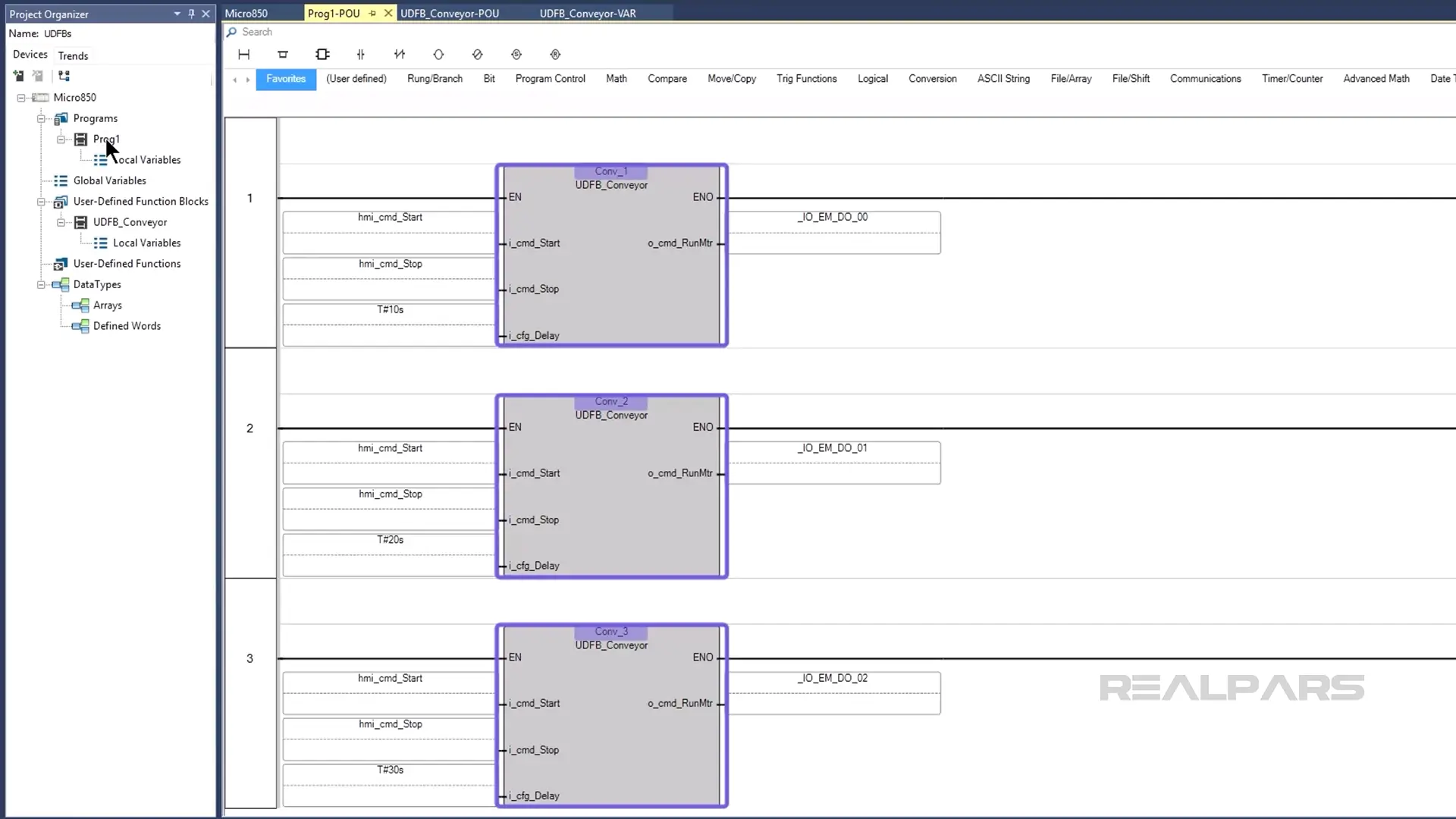
Because this program is built using a User-Defined Function Block, it is very easy to understand and navigate. Imagine how much larger the program would be if it contained the logic to control each individual conveyor!
Now that we understand how to instantiate a User-Defined Function Block, let’s see how this program would run in a PLC.
Demo
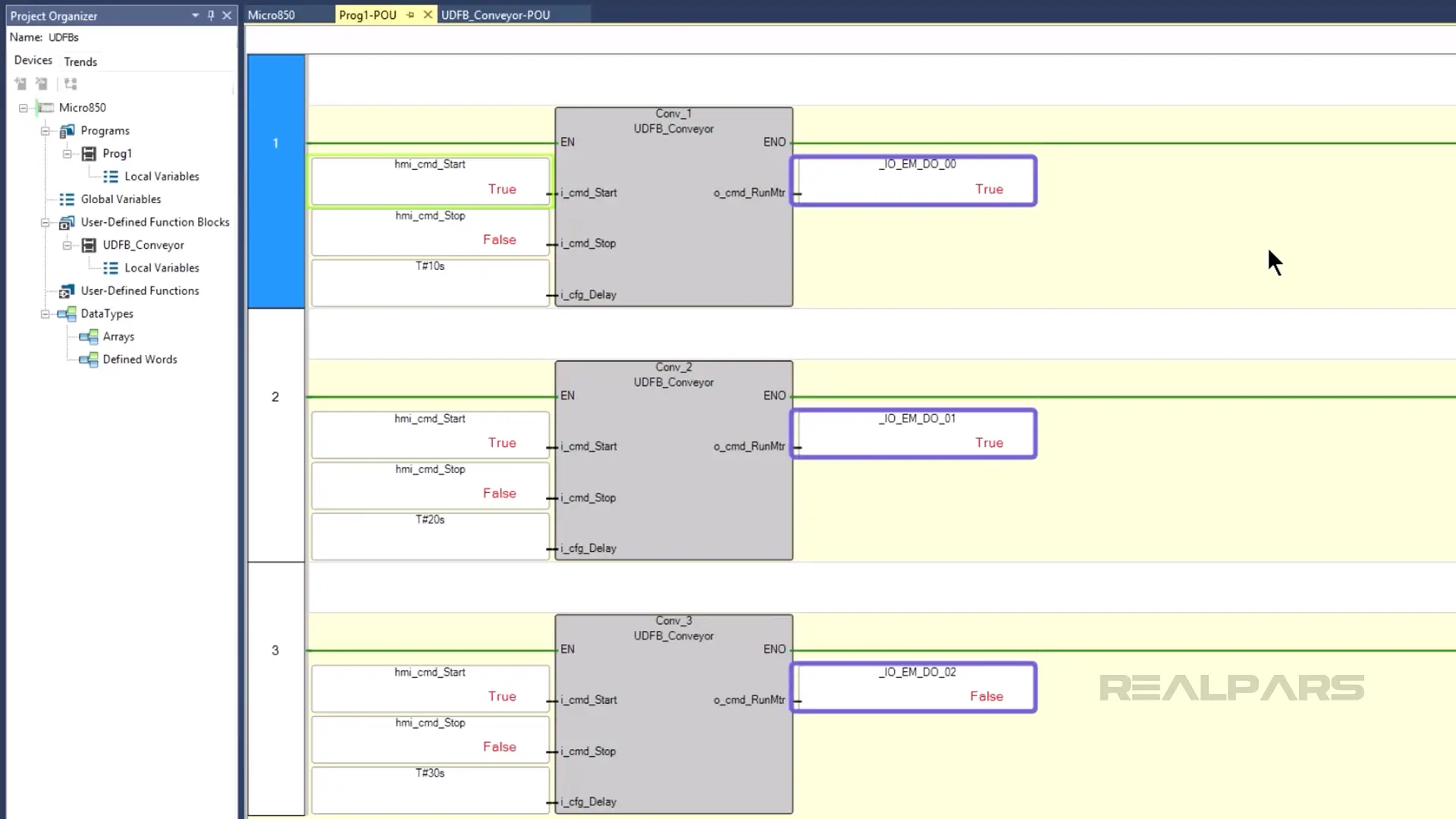
I have downloaded the project to a Micro800 PLC, connected to the PLC, and put it in Run mode.
In the program, I toggle the Start command and watch as each conveyor starts sequentially.
As you can see, even though we have called the same User-Defined Function Block three times, the behavior of each instance is different. This is because we are passing different data to each instance, and each instance uses a unique variable to store its own data.
Wrap-Up
In this article, you learned about the benefits of building modular, reusable code as a PLC programmer. You also saw how to implement modular code in Connected Components Workbench by using User-Defined Function Blocks.

