
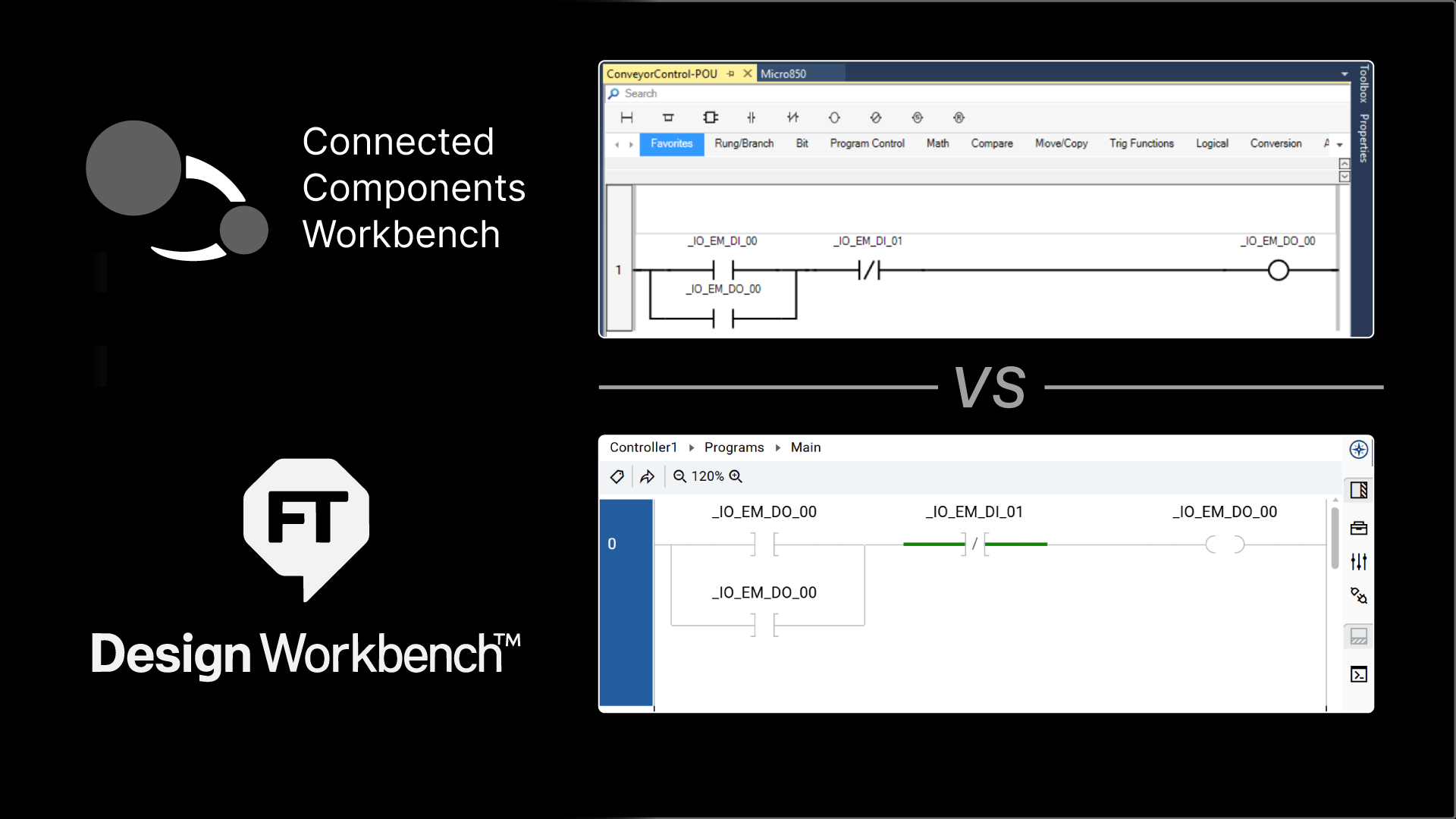
Rockwell Automation has just released FactoryTalk Design Workbench, their next-generation design software for micro control systems.
FactoryTalk Design Workbench will eventually replace Connected Components Workbench, the existing design software that is used to program Micro800 PLCs, configure PowerFlex drives, and develop applications for PanelView 800 HMIs.
In this article, I’ll introduce you to FactoryTalk Design Workbench and compare it to Connected Components Workbench to highlight the key differences and improvements that have been introduced.
Let’s start by talking about some of the challenges that people faced when using Connected Components Workbench.
Connected Components Workbench Challenges
Connected Components Workbench is a free PLC programming package from Rockwell Automation. Because it is free software, it is excellent for learning PLC programming, and it is the software that we use in our PLC Programming from Scratch learning series.
Unfortunately, it is not perfect software. Some of the main challenges faced by people using Connected Components Workbench are:
- Limited performance
- Foreign user interface
- Limited potential
Limited performance
Connected Components Workbench is slow when it comes to opening dialogs, downloading, uploading, and performing run mode changes. Over the years, Rockwell has improved the performance of Connected Components Workbench, but it is still a slow application to work with.
Foreign user interface
Connected Components Workbench is a Rockwell Automation product that doesn’t look like any other Rockwell Automation product.
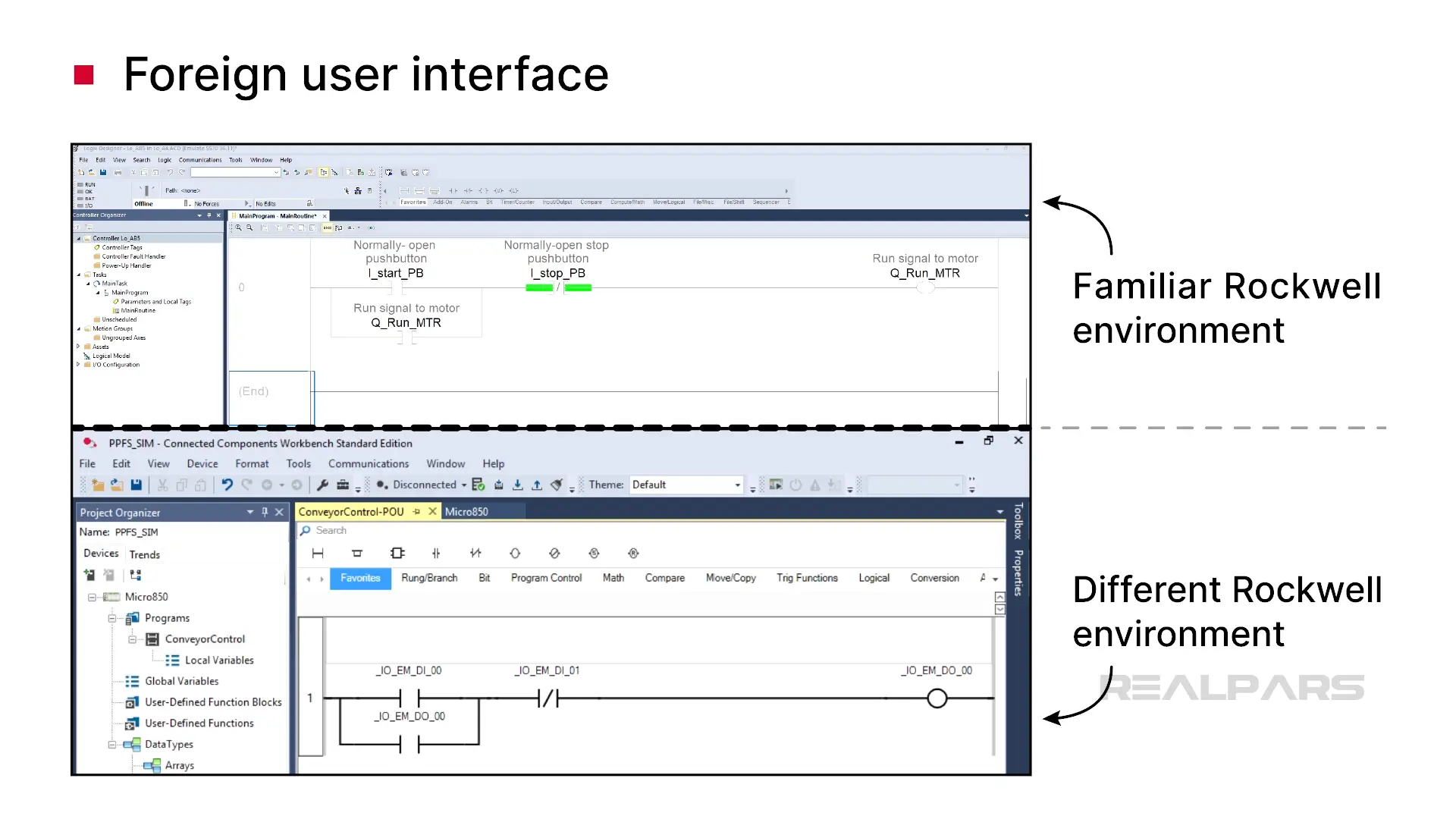
This made it hard for veteran Rockwell Automation programmers to move between Studio 5000 Logix Designer and Connected Component Workbench.
Limited potential
Connected Components Workbench hasn’t changed much since it was first released. This is partially due to the architecture of the software, which makes it hard to add new features.
Now, Rockwell Automation has brought out FactoryTalk Design Workbench to address some of these challenges.
Let’s look at some of the improvements that have been introduced with FactoryTalk Design Workbench.
FactoryTalk Design Workbench Improvements
Download size
The first major improvement to FactoryTalk Design Workbench is the download size.
Connected Components Workbench is a 6-gigabyte download, which takes hours even on a fast internet connection.
In contrast, the download for FactoryTalk Design Workbench is less than 1 gigabyte, and Rockwell has committed to keeping this download size small in future versions of FactoryTalk Design Workbench.
Performance
Next, the performance of the software has been greatly improved. This is made possible by a new software architecture built on modern technology.
Opening projects, copying, pasting, uploading, and downloading are up to 70% faster in FactoryTalk Design Workbench.
User Interface
Finally, the User Interface of FactoryTalk Design Workbench is aligned with Rockwell Automation’s design system that is used in Studio 5000 Logix Designer and FactoryTalk Design Studio.
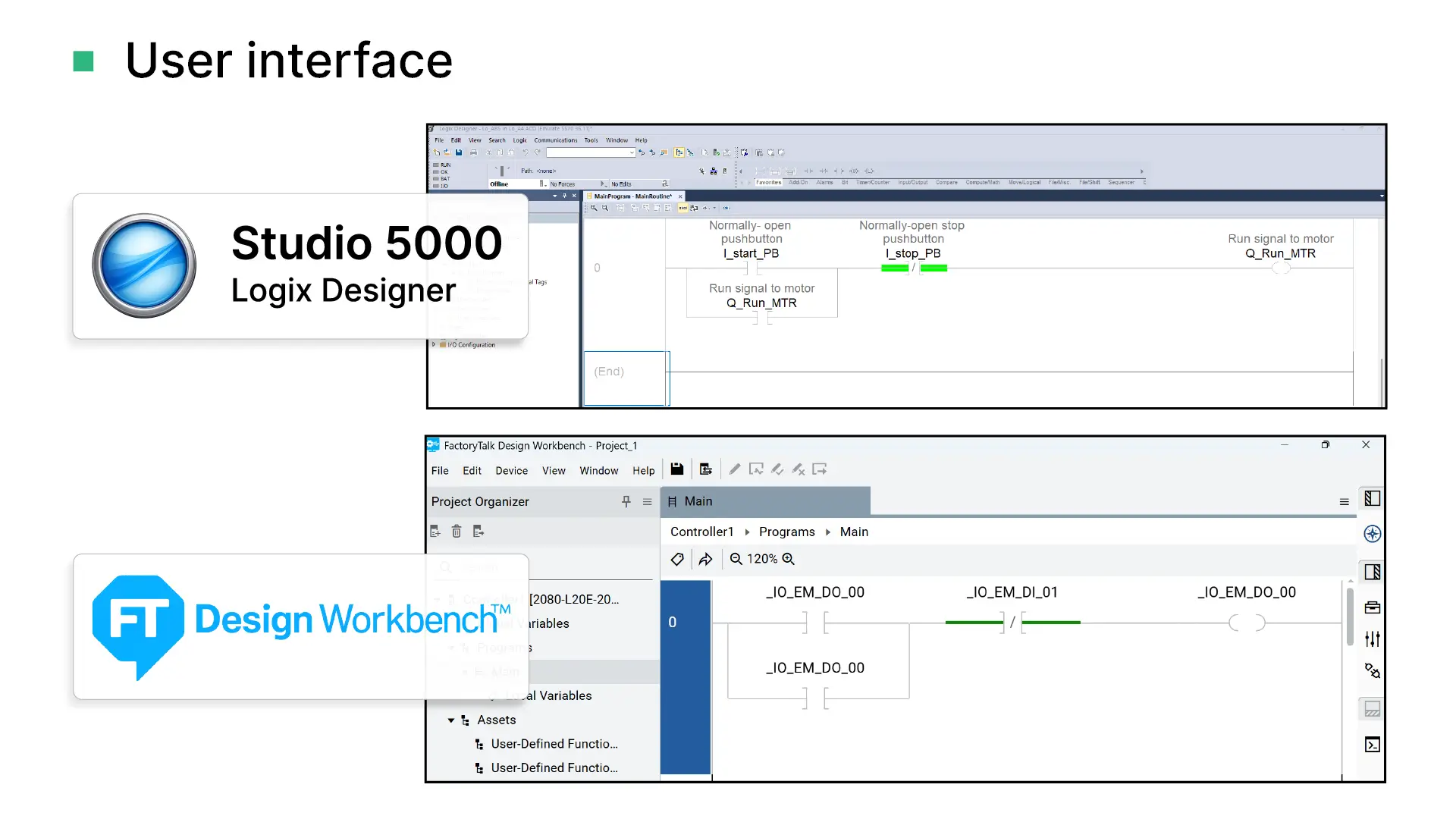
Unlike Connected Components Workbench, FactoryTalk Design Workbench is aligned with other Rockwell Automation products in terms of;
- Instruction naming,
- Display of Ladder Diagram logic,
- Shortcuts, and
- Workflows for creating tags and instancing instructions
Now that we’ve seen some of the improvements that have been introduced with FactoryTalk Design Workbench, let’s do a quick comparison with Connected Components Workbench.
FactoryTalk Design Workbench vs Connected Components Workbench
Editions
Connected Components Workbench has two editions - the Standard edition, which is completely free, and the Developer edition, which is a paid product with extended features.
FactoryTalk Design Workbench is completely free with all features available - there is no Developer edition.
Supported hardware
Connected Components Workbench is the software that is used to program all Micro800 PLCs.
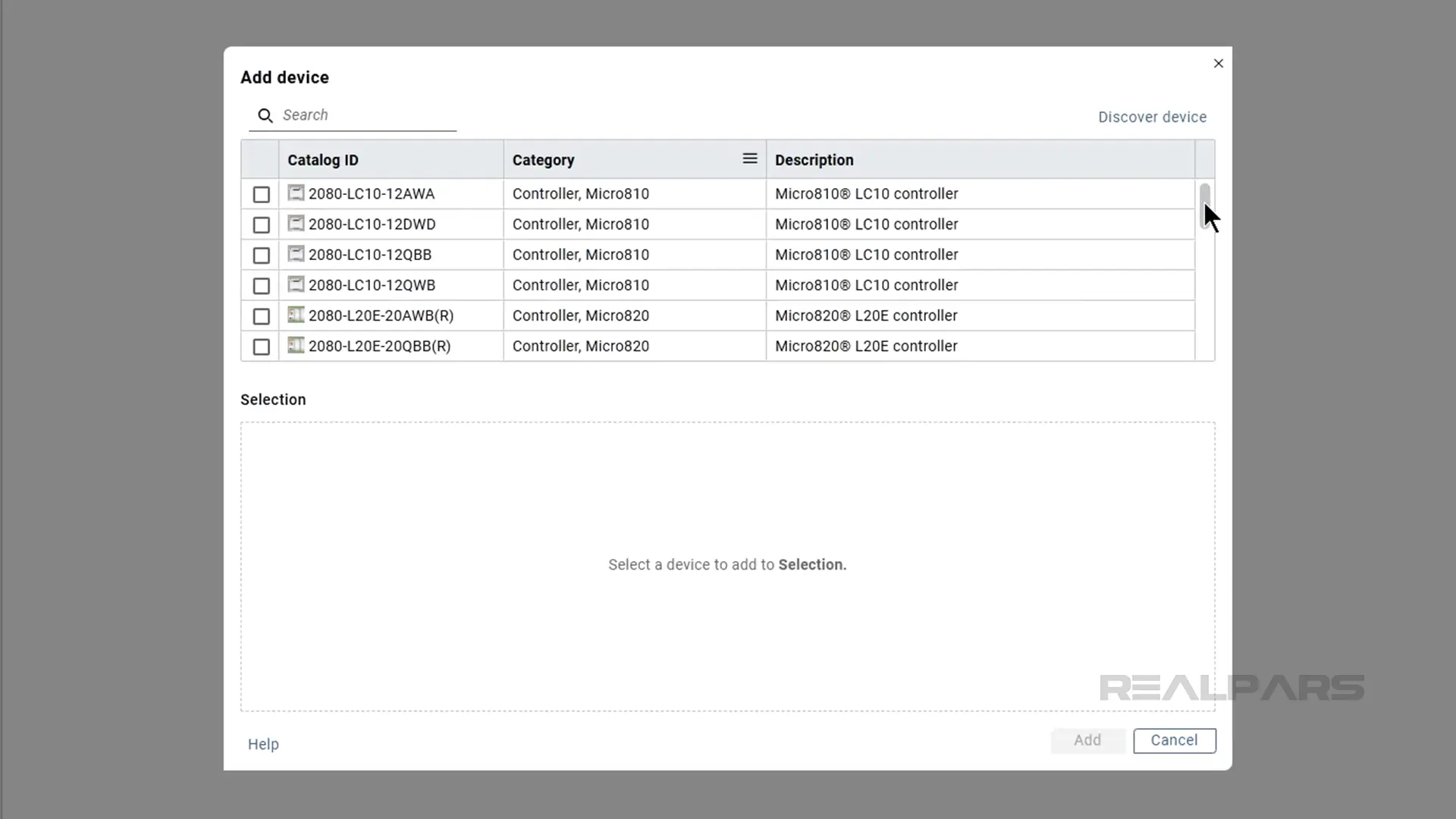
In contrast, FactoryTalk Design Workbench can only be used to target newer Micro800 controllers with an “E” catalog number and Micro810 controllers.
HMI development
Connected Components Workbench supports developing PanelView 800 HMI applications as well as programming Micro800 PLCs.
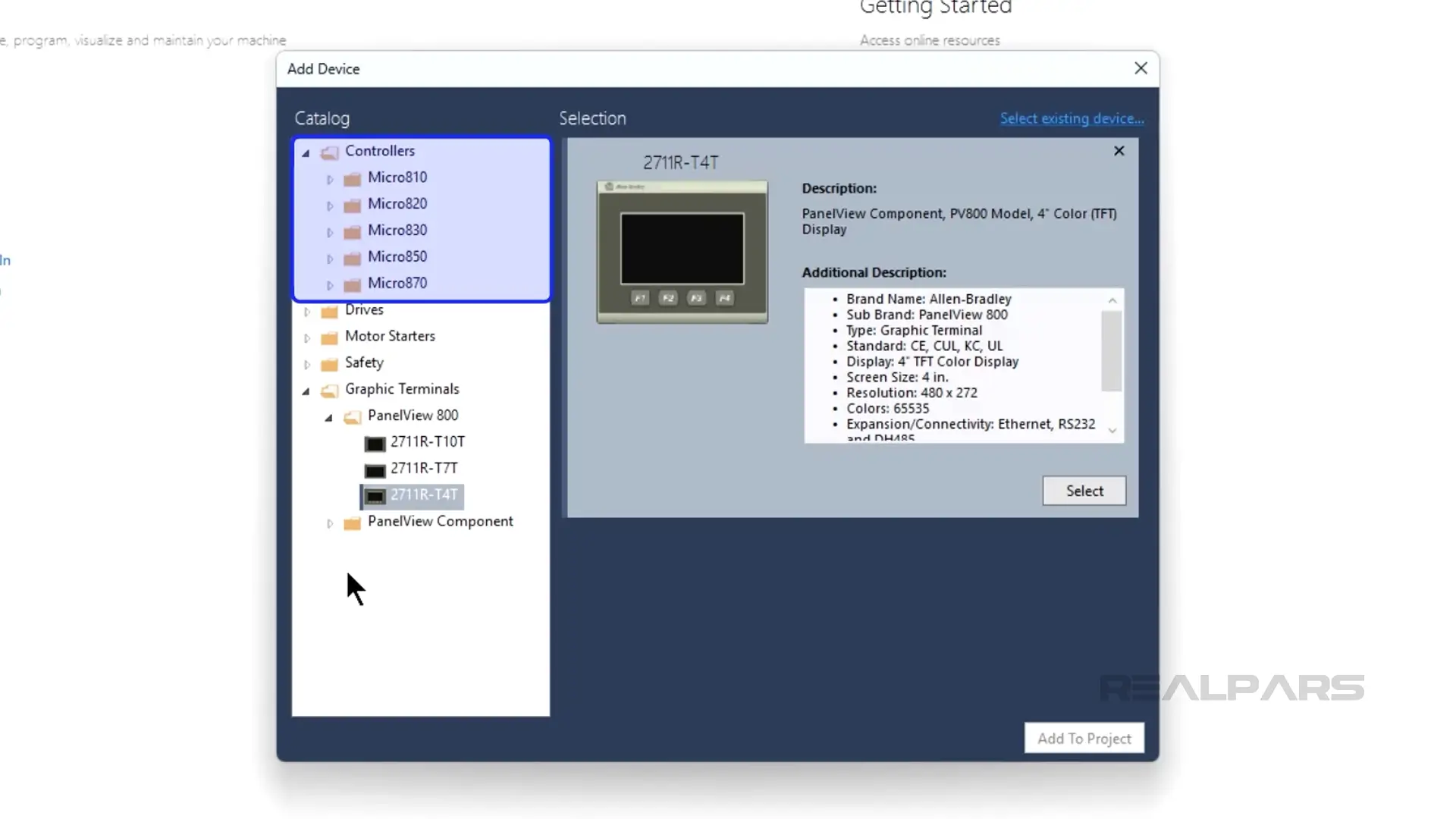
In contrast, FactoryTalk Design Workbench doesn’t support developing HMI applications for PanelView 800 HMIs. This feature will not be added to future editions of FactoryTalk Design Workbench because the PanelView 800 is being phased out by Rockwell Automation.
Other features
Since Connected Components Workbench has been around for a long time, it is a full-featured development environment.
Since FactoryTalk Design Workbench is a new product, not all of the features of Connected Components Workbench are available at launch.
However, Rockwell Automation is committed to continuing to develop the product, and I am expecting to see features like trending, PLC simulator, spy list, IP protection, and support for other devices like PowerFlex drives to be included in later versions of FactoryTalk Design Workbench.
Wrap-Up
FactoryTalk Design Workbench is the next-generation design software for Rockwell Automation micro control systems. It brings many improvements over Connected Components Workbench, including a smaller download size, better performance, and better alignment with other Rockwell products like Studio 5000 and FactoryTalk Design Studio.
FactoryTalk Design Workbench will eventually replace Connected Components Workbench, but there are still a few features missing.
If you use PanelView 800s, PowerFlex drives, or other devices in your micro control projects, you should stick with Connected Components Workbench for now.
If you are just focused on PLC programming, then I advise you to switch over to FactoryTalk Design Workbench as soon as possible.

