
When you are programming a PLC, you will often need to keep an output on even when the condition to turn on the output is no longer available.
A classic example of this situation is running a conveyor belt. An operator presses the start button to start the system and the conveyor starts running. The conveyor should continue to run when the operator has released the start button.
There are two techniques that can be used to maintain an output in your PLC programs, which are known as sealing and latching.
In this post, I will give you an overview of these two techniques and explain why you would use one technique over another.
Seal-In Circuit
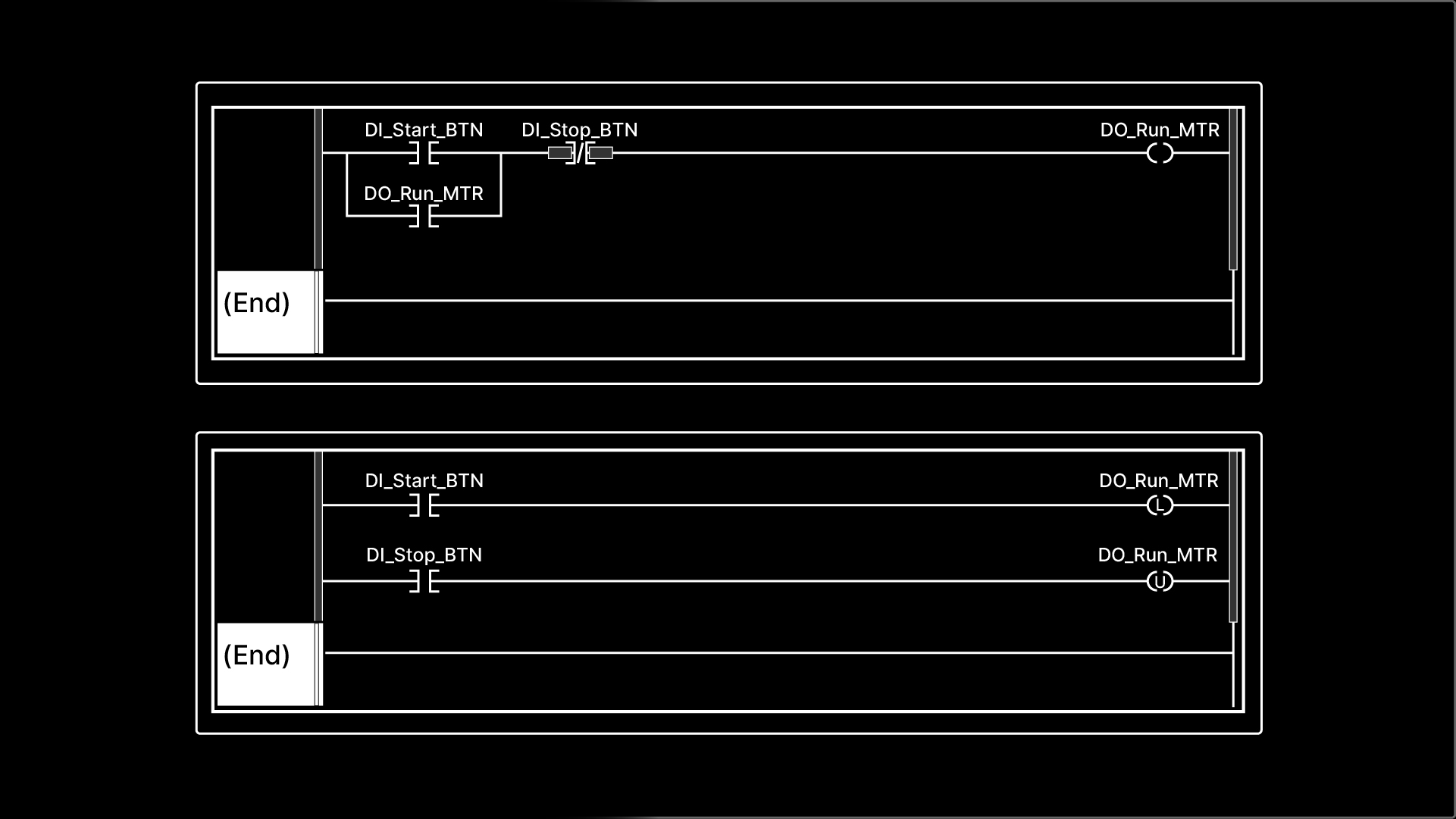
The code shown here is a seal-in circuit which is used for sealing outputs.
A seal-in circuit is made up of permissives, interlocks, and outputs.
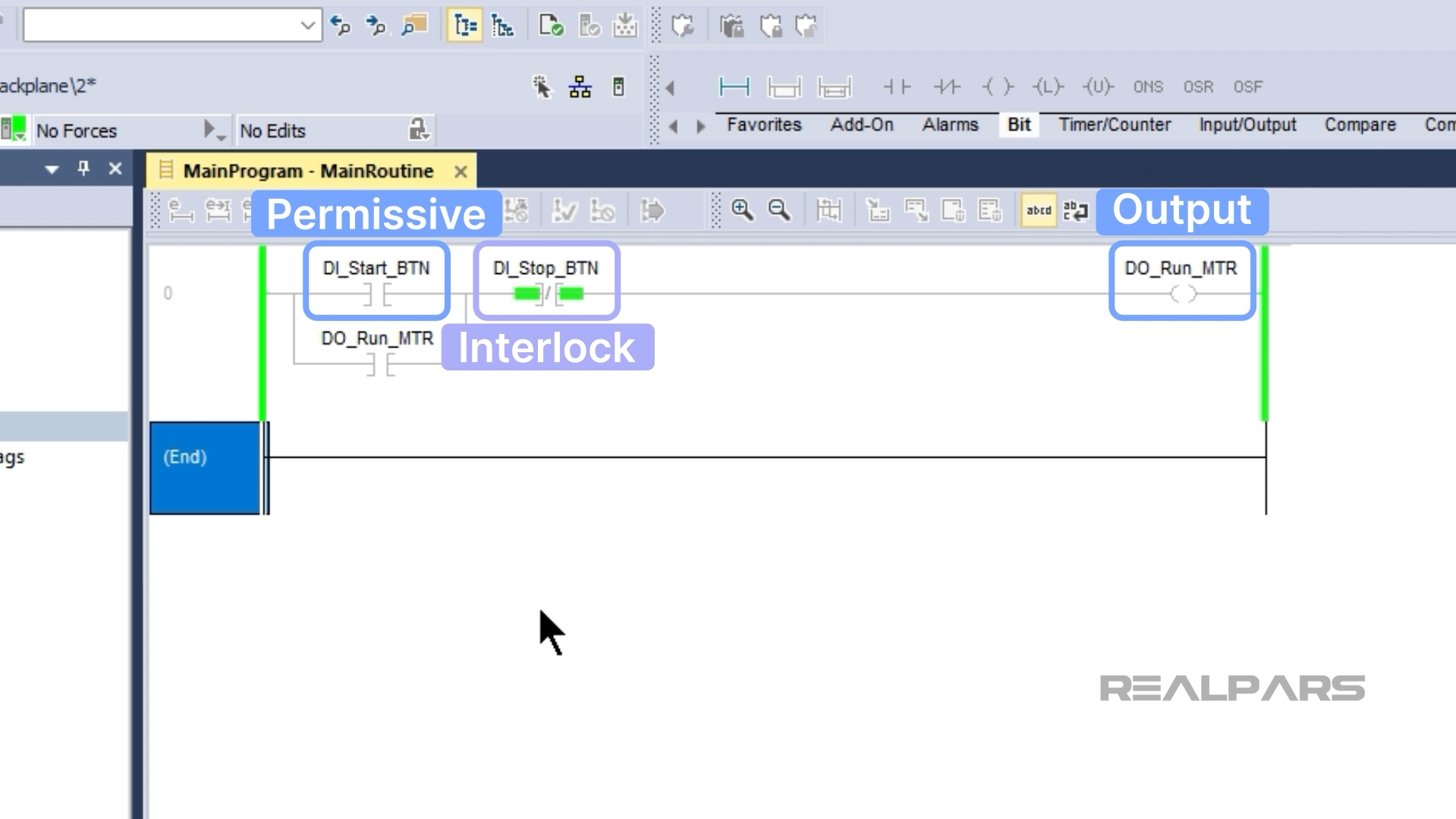
A permissive is a condition that must be true to turn on the output but doesn’t need to be true for the output to stay on. In this case, the input DI_Start_BTN is a permissive.
When the start button is pressed, the output DO_Run_MTR turns on and the conveyor starts running. When the start button is released, the conveyor continues to run because the output DO_Run_MTR is sealed in by the branch that goes around the permissive.
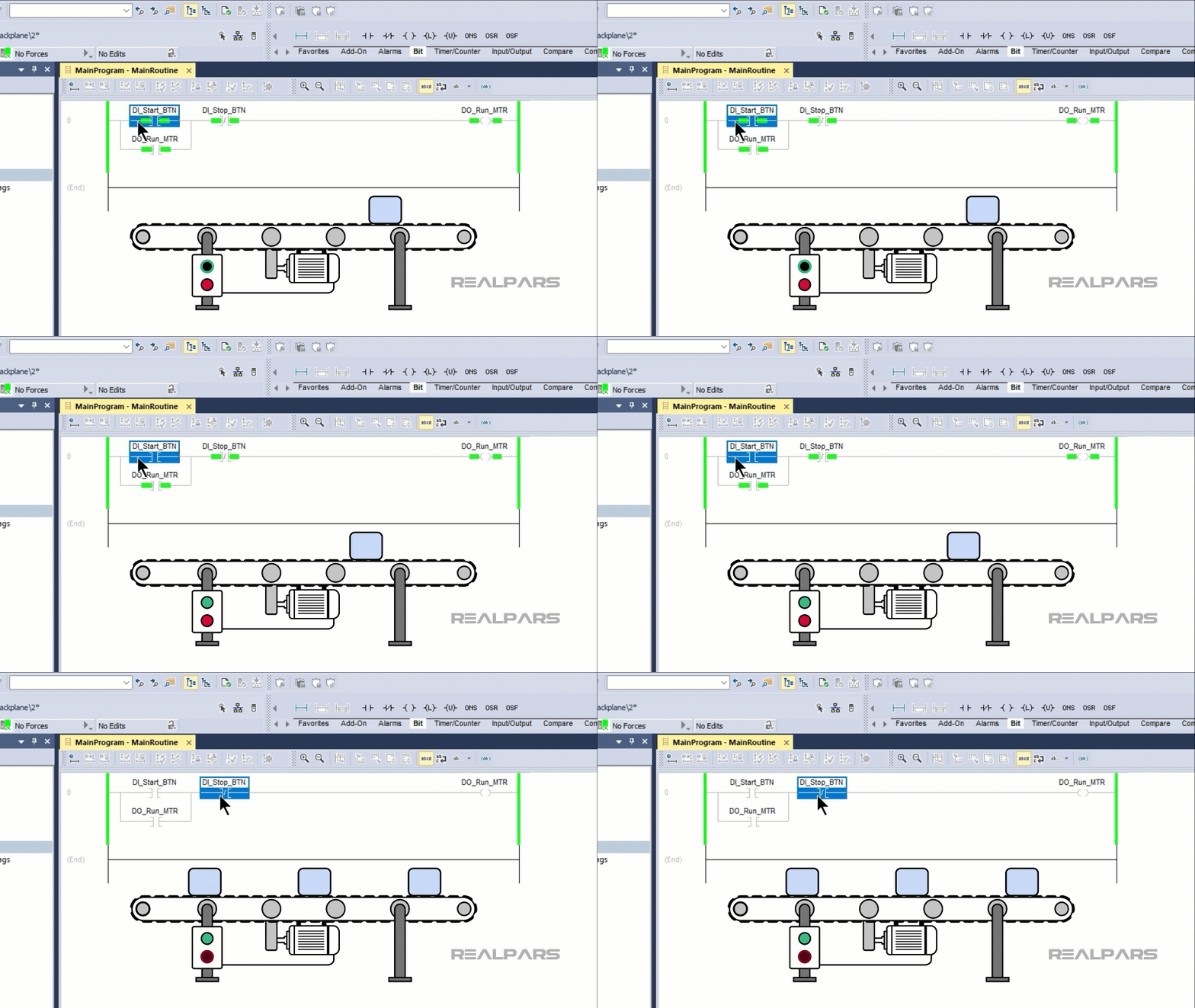
An interlock is a condition that must be true for the output to be on. In this case, the input DI_Stop_BTN is an interlock. If the stop button is pressed, the seal-in circuit is unsealed, the output DO_Run_MTR becomes false and the conveyor stops running.
Seal-in circuits are the most common way to maintain an output when input conditions are no longer available.
The other option is to latch the output.
Output Latching
We can latch an output using the Output Latch, or OTL, and Output Unlatch, or OTU, instructions in Studio 5000 Logix Designer.
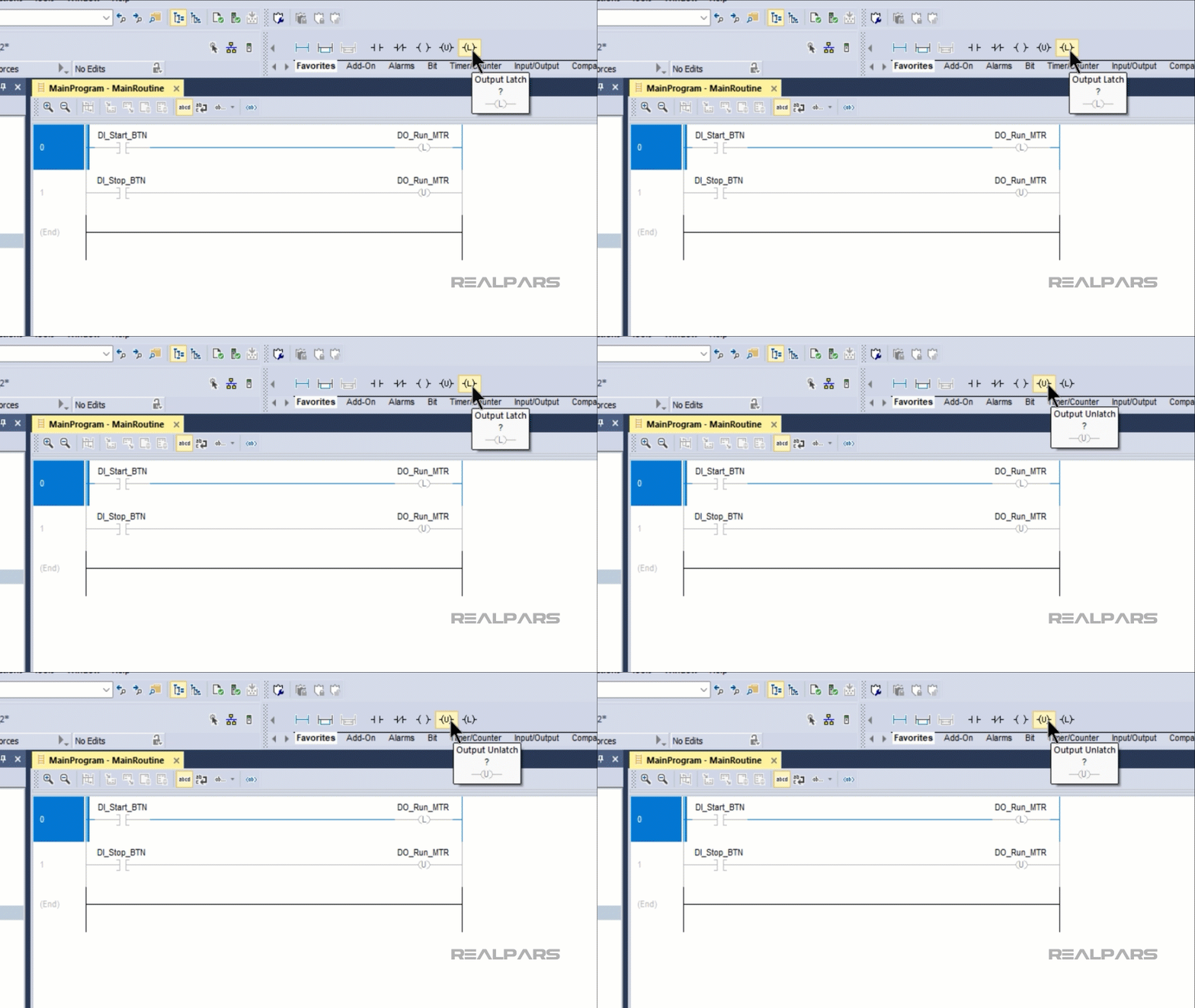
In this example, the Output Latch instruction latches the output DO_Run_MTR to true when the start button is pressed.
The output remains latched to true when the start button is released.
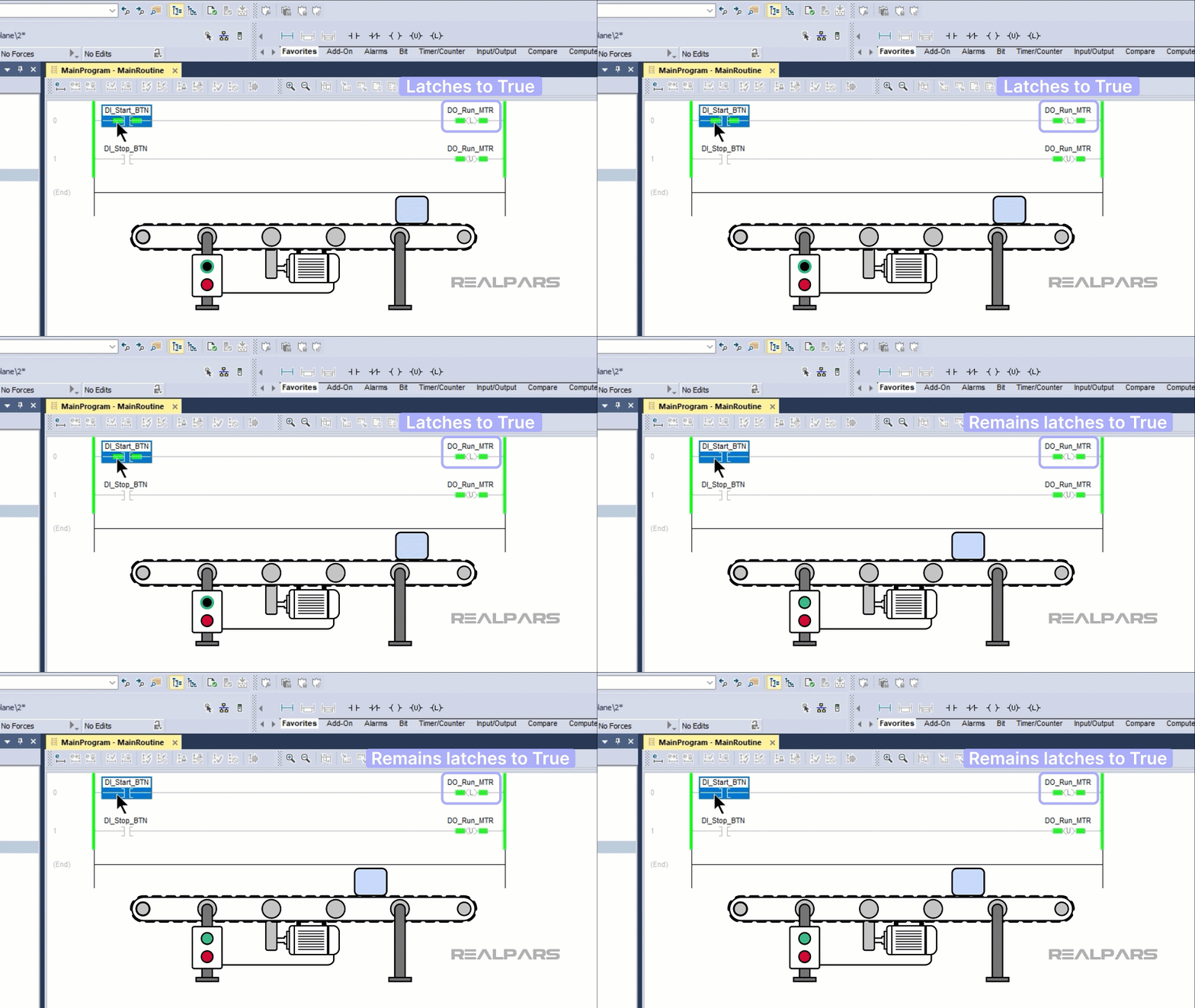
The output is unlatched by the Output Unlatch instruction when the stop button is pressed and the output becomes false.
Now we have seen two techniques for maintaining an output in a PLC program. Do you think there is any difference in the behavior of the PLC when sealing or latching is used?
Behavior differences
The key difference between sealing and latching an output is that latching is retentive.
This means that the output retains the value true after a power cycle.
Imagine if the conveyor in our example were running and the PLC lost power. When power to the PLC was restored, the conveyor would immediately start running again because the output to run the conveyor is still latched to true.
This could create a potentially dangerous situation.
In contrast, a seal-in circuit is non-retentive, so the output is unsealed to false in the event of a power cycle. This unsealing happens because the Examine On instruction has special pre-scan logic that makes it evaluate to false before a PLC program is scanned for the first time.
Because of this difference, the golden rule in PLC programming is that you should use a seal-in circuit for anything that moves, like motors and actuators. This ensures that there are no “ghost starts” after a power failure.
Latching can be used for data that needs to be remembered even after a power cycle, such as status flags and fault tracking.
Wrap-Up
In this article, I explained how sealing and latching can be used to maintain an output even when input conditions become false.
I also explained the key difference between sealing and latching and where each technique should be used.

