
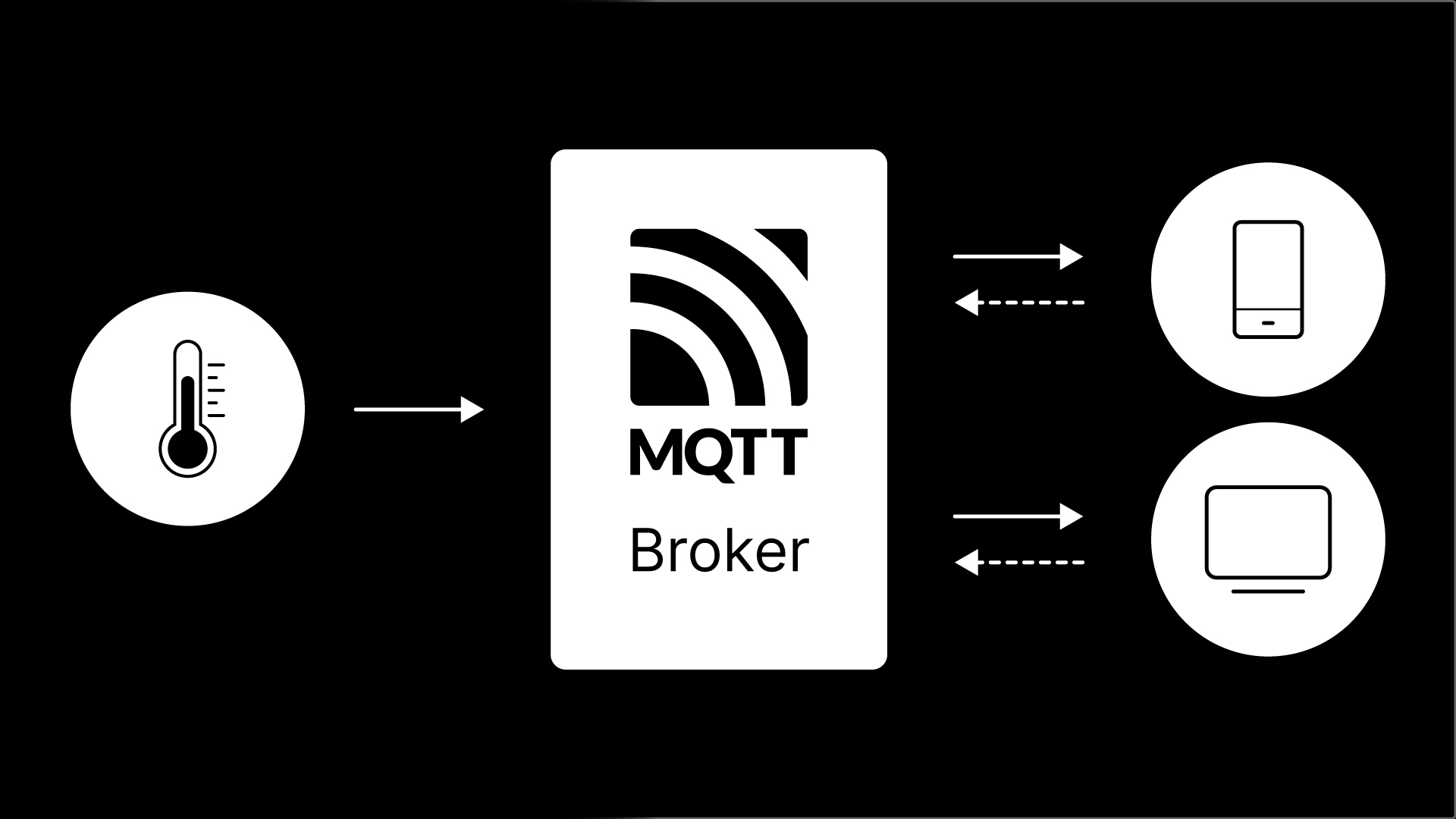
How does a sensor send data to a receiver? The answer is often MQTT, a lightweight, low-bandwidth publish/subscribe messaging protocol. If MQTT terms like publisher, subscriber, or broker have you scratching your head, keep reading this article.
Weʼll explain how messages get from a sender to a receiver. Weʼll discuss the meanings and importance of MQTT terms. We’ll introduce you to tools you can install and use to see MQTT in action in real time.
MQTT stands for Message Queuing Telemetry Transport, and that’s the last time you’ll hear that long-winded phrase in this article. Think of MQTT as a set of rules that enables devices to exchange data with one another over the internet or a local network.
It is a bidirectional communication protocol that uses small messages, limited data usage, and doesn’t require much processing power.
MQTT is event-driven, which means it doesn’t send continuous data. Instead of transmitting data all the time, devices communicate only when necessary.
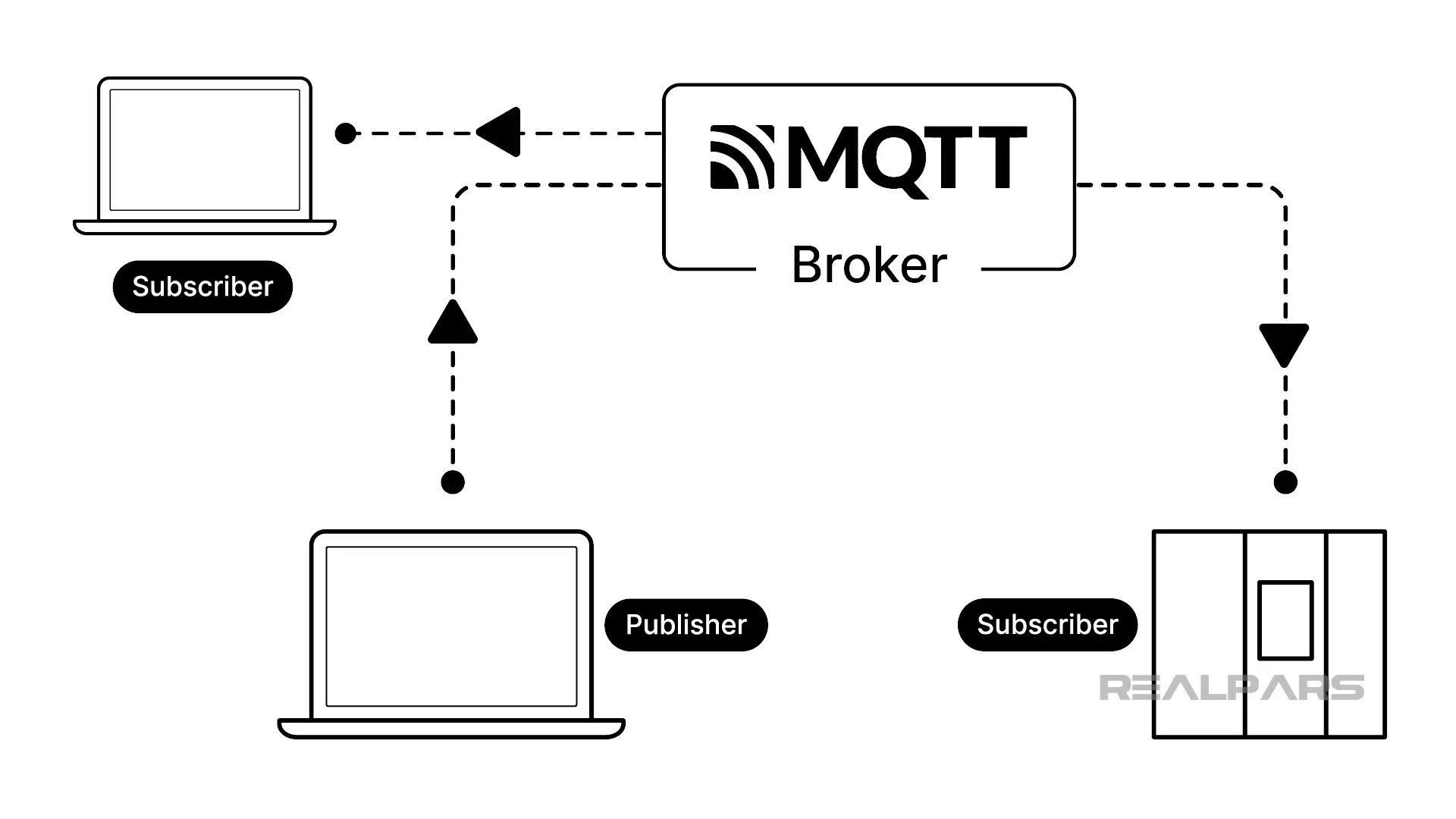
A device can both send and receive messages. A device that sends a message is called a Publisher, while one that receives a message is called a Subscriber.
What’s unique is that multiple subscribers can receive messages from a single Publisher, but we’re getting a bit ahead of ourselves here.
MQTT brokers and clients
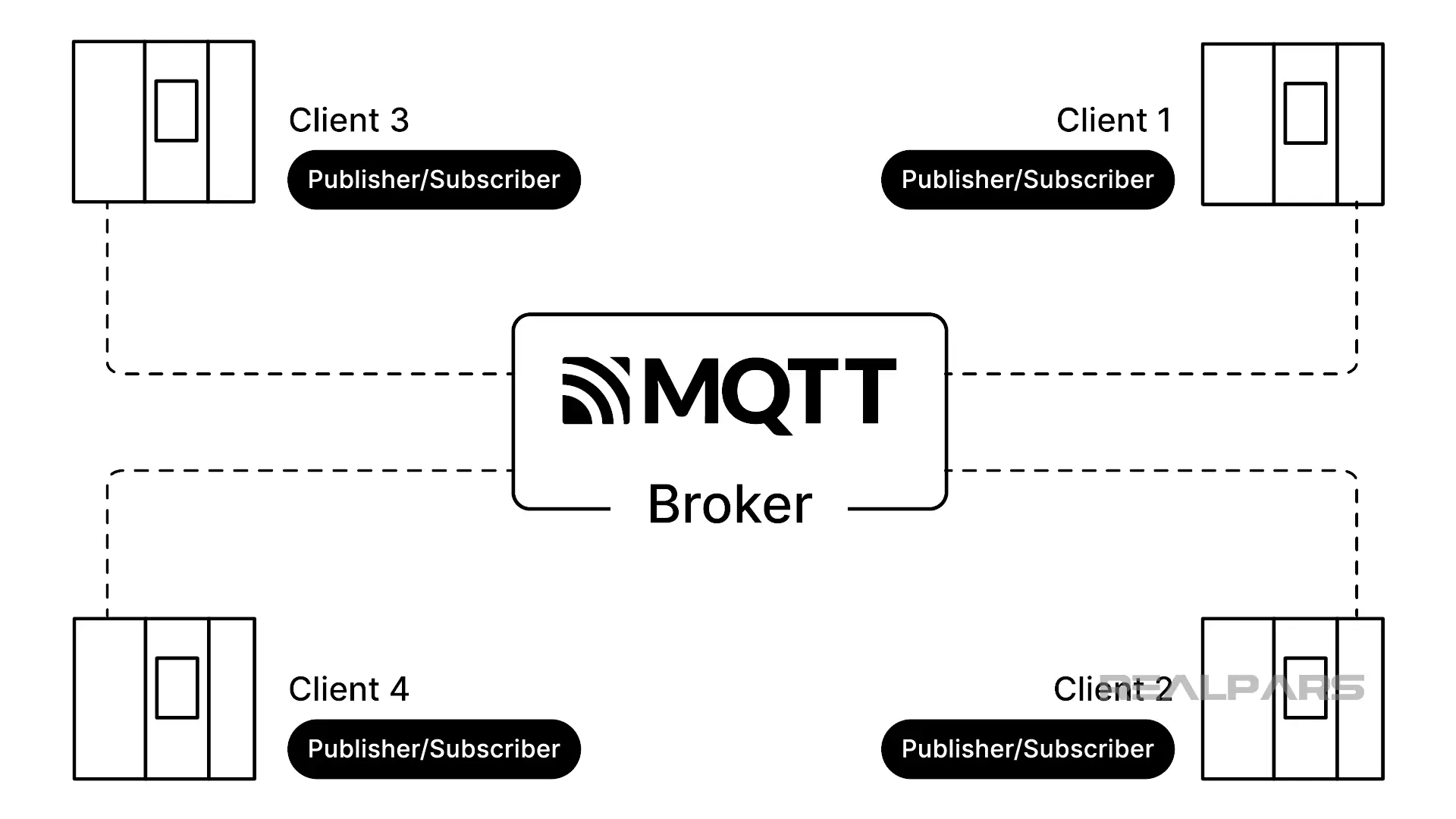
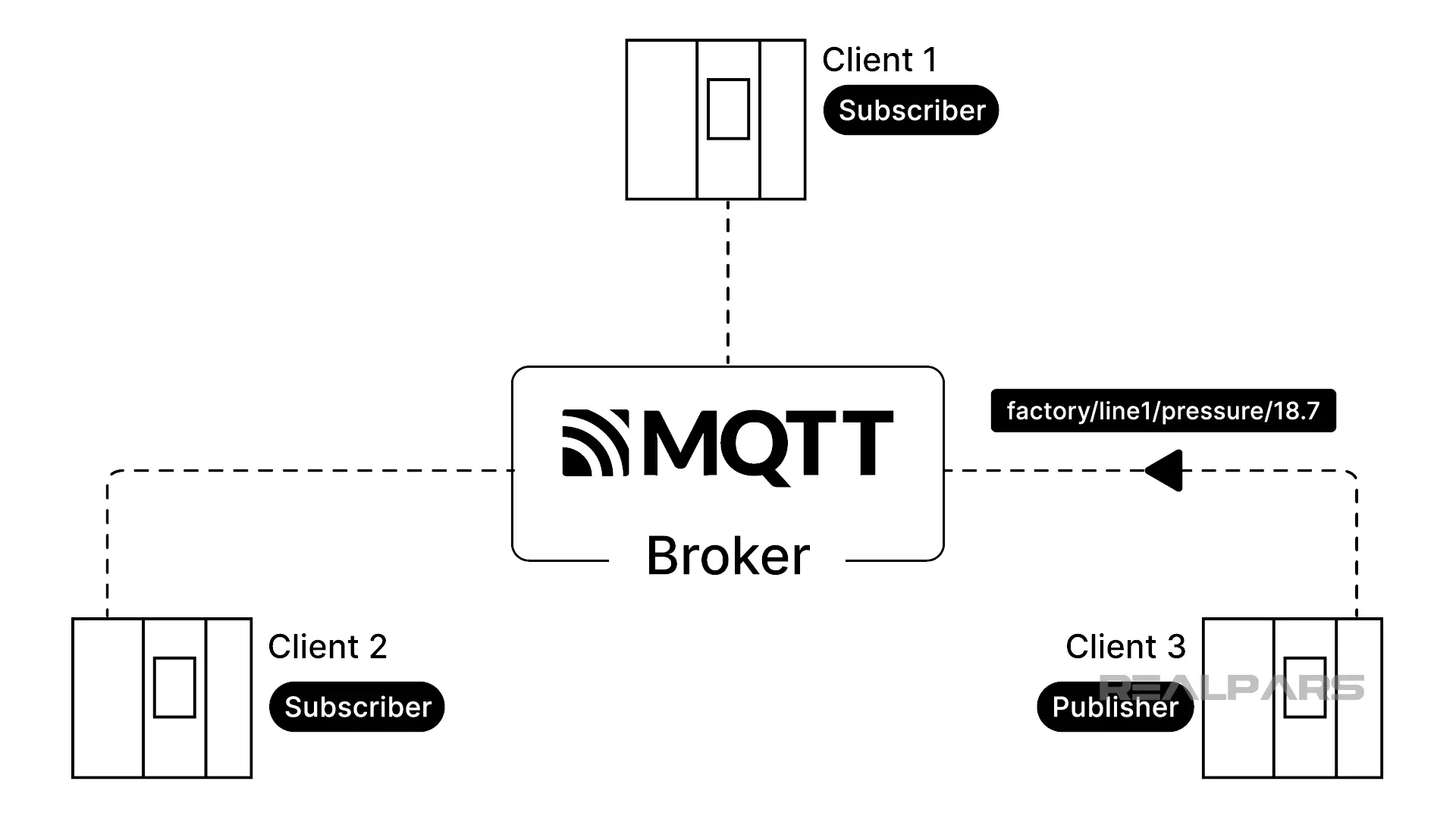
Both Publishers and subscribers are called Clients. Clients communicate through a central entity, or hub called a Broker.
An MQTT broker works like a customs broker at a border crossing. It receives incoming packages and ensures each is routed to the correct destination. Just like a customs broker, an MQTT broker is an independent entity that just directs traffic between clients.
As we said earlier, Clients can be both publishers and subscribers, sending or receiving messages. A unique feature of MQTT is that clients do not communicate directly with one another. Clients only communicate with the broker.
There are many MQTT brokers available, including free and open-source options such as Mosquitto and EMQX.
Mosquitto is very popular and completely free to download and run locally. It is easy to download, install, and use.
A local MQTT broker runs on your computer or network.
A hosted broker runs in the cloud and is managed by a service provider such as HiveMQ Cloud and CloudMQTT.
How MQTT works
The broker is at the heart of every MQTT operation, directing traffic.
The broker receives messages from publishers and forwards them to all subscribing clients.
Publishers transmit many messages, not all of which are intended for every subscribing client.
How do clients ensure they receive only the messages they want without having to sort through every message sent by a publisher? Publishers send messages to the broker on a topic. Only clients subscribed to that topic receive those messages.
The publisher sends data to one topic at a time, regardless of the number of subscribers or whether any are online at the time.
The subscriber receives messages by subscribing to a topic and can simultaneously subscribe to multiple topics from many publishers.
MQTT example
Letʼs start with a simple example involving a Publisher and two subscribers.
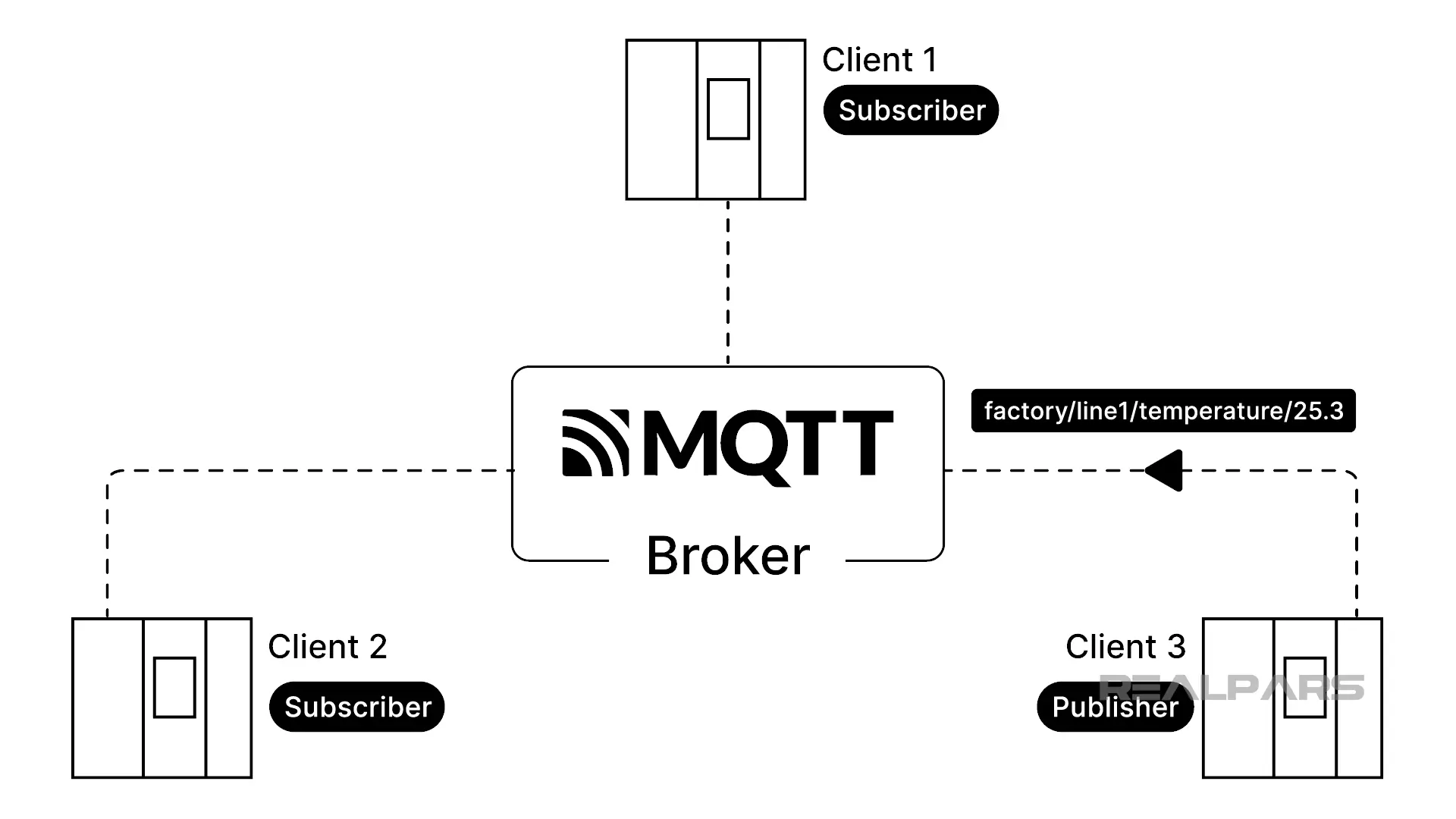
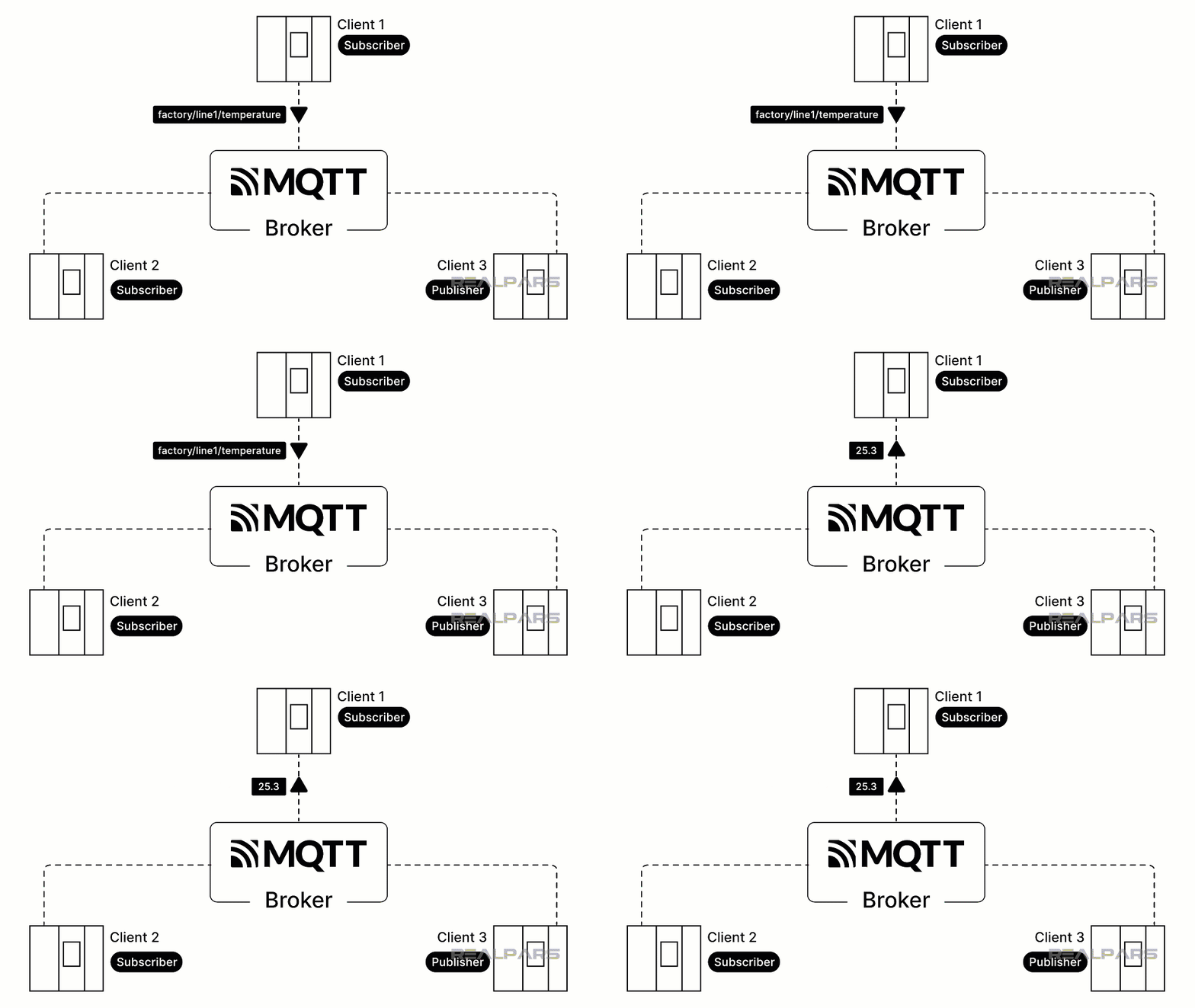
We publish messages on two topics: temperature and pressure. Our first published message is on the temperature topic, with a payload of 25.3 degrees.
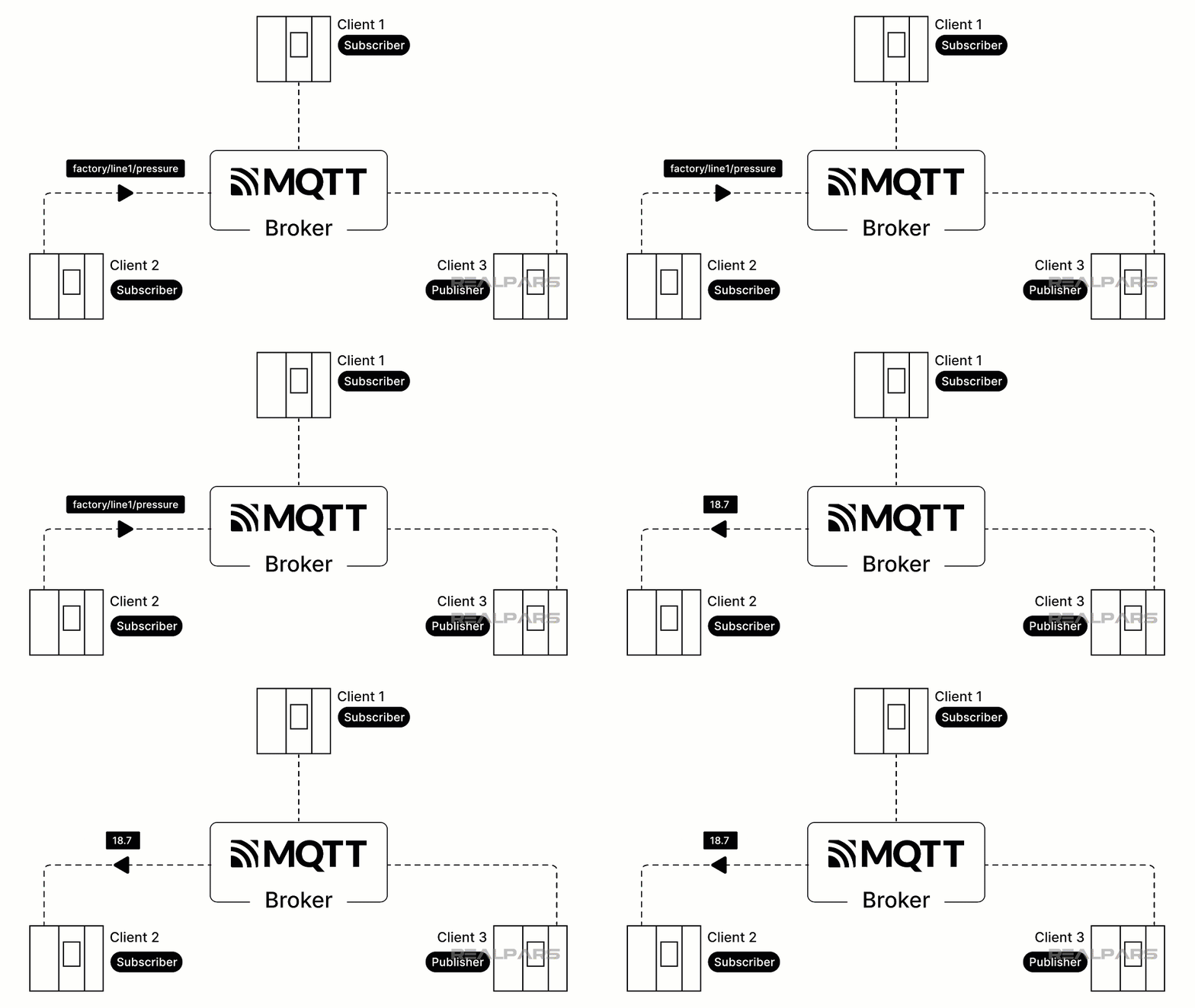
Our second message is published under the pressure topic, with a payload of 18.7 psi.
Subscriber 1 receives the temperature payload because it is subscribed to the topic temperature.
Subscriber 2 receives the pressure payload because it is subscribed to the topic pressure.
A topic is typically levelled and separated with a forward slash “/” between the levels. For example, our temperature topic is factory/line1/temperature.
Anyone who has visited a website has seen this type of levelling before, such as on cbc.ca/news or cbc.ca/sports.
A local broker, such as Mosquitto, runs on your own computer. On Windows systems, it is typically installed and then accessed using the Command Prompt.
A typical publish command
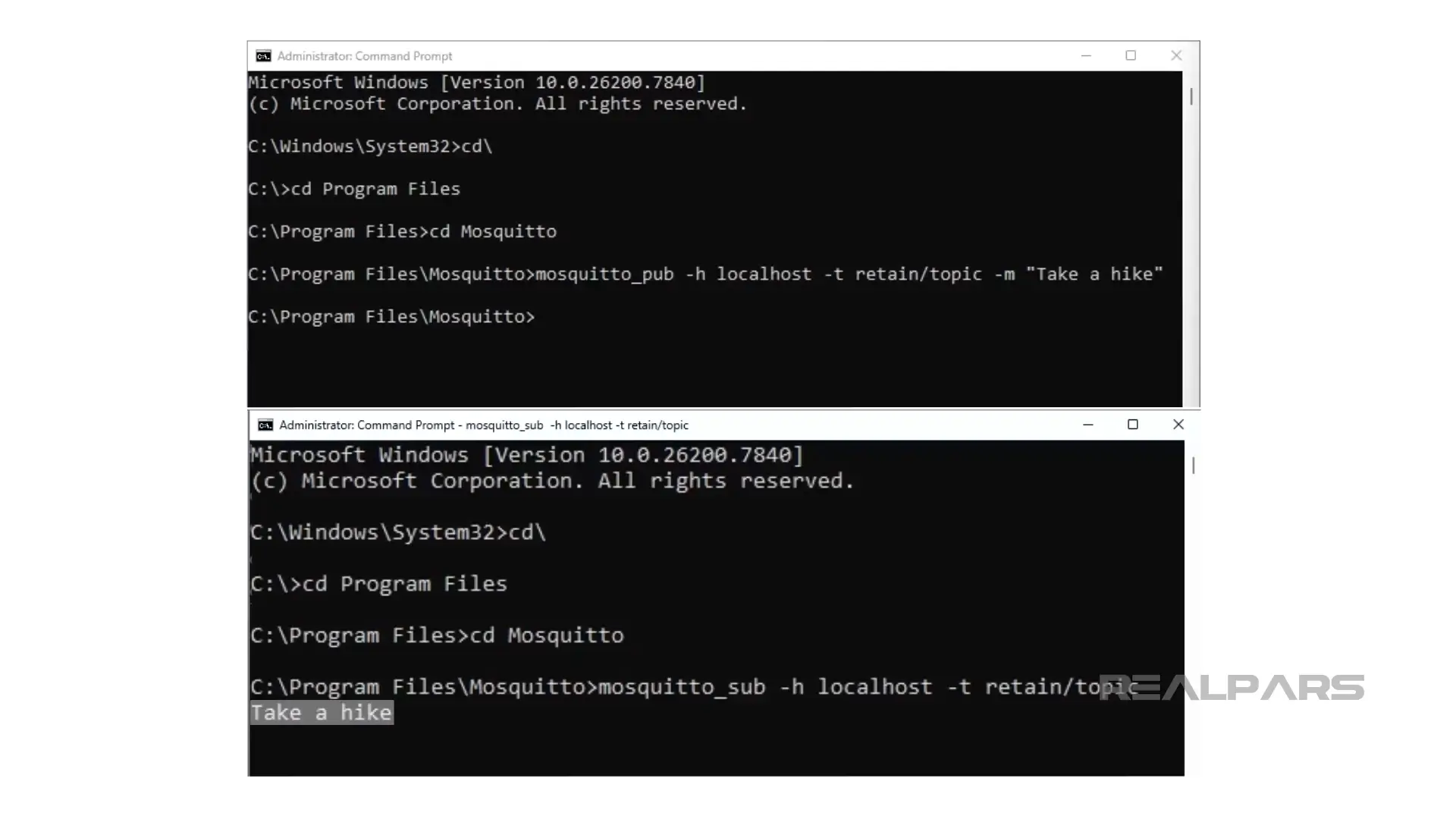
Letʼs look at a typical publish command sent to a local Mosquitto broker running on our computer.
The command is: mosquitto_pub -h localhost -t retain/topic -m "Take a hike"
The command mosquitto_pub starts Mosquitto publish, enabling a message to be sent.
-h localhost specifies the host name or IP address of the broker.
-t retain/topic defines the topic name. In our example, the topic is retain/topic.
-m "Take a hike” specifies the message being published. The message is called the payload, and in our example, it is Take a hike.
Any client subscribed to the topic retain/topic will receive the payload Take a hike.
There are Windows-based graphical tools, such as MQTT Explorer and MQTTX, that interact with brokers, simplifying MQTT publishing and subscribing.
Wrap-Up
MQTT offers a simple and efficient way for IoT devices to exchange data via a central broker, using publishers, subscribers, and topics. Once you understand how these components work together, the publish/subscribe model becomes powerful and straightforward to use.

